

 Belgium
 Denmark
 Finland
 Germany
 Malaysia
 Netherlands
 Norway
 Poland
 Sweden
 UK


Ransomware prevention takes more than patching. Patching closes the way in, but it doesn’t fix the Active Directory and Microsoft 365 misconfigurations that let one break-in spread across the whole organization.
The Warlock ransomware attacks show how this works. In July 2025, attackers began exploiting vulnerabilities in on-premises SharePoint servers, now known as ToolShell. Microsoft tracked several groups using them. One of them, which Microsoft calls Storm-2603, went further. After getting in, the attackers stole passwords from server memory. Then they used Group Policy, which IT teams rely on to push settings to every computer at once, to deploy Warlock ransomware across the network. The organization’s own tools did the damage.
Warlock is one example of a wider pattern. Our Security Research team tracks the vulnerabilities ransomware groups exploit, and the same kinds of systems keep coming up: VPNs, file transfer tools, SharePoint, backup servers and hypervisors. What they have in common is trusted access to the rest of the network. That’s the access attackers want.
|
Key takeaways
|
How does a ransomware attack work?
Most ransomware attacks follow three steps:
- Get in: attackers use a phishing email, a stolen password or a known vulnerability in an internet-facing system.
- Take over identities: attackers steal more credentials and gain admin rights in Active Directory and, often, Microsoft 365.
- Spread and block recovery: attackers push ransomware to as many machines as possible and go after backups.
According to the Sophos State of Ransomware 2026 report, malicious email (26%), phishing (24%), compromised credentials (23%) and exploited vulnerabilities (18%) were the most common root causes. The survey covered 2,158 IT and cybersecurity leaders hit by ransomware.
Exploited vulnerabilities rank last on that list, but they matter more than the number suggests. The systems involved are VPNs, file transfer tools, collaboration servers and backup servers. They face the internet or hold privileged access, and they often connect to Active Directory. They also tend to be patched late, because the business depends on them. One unpatched VPN gives an attacker the same foothold as a valid login.
That patching gap is also the opportunity. You can’t patch a user who clicks a link, but you can patch a VPN. CISA's KEV catalog lists vulnerabilities that attackers exploit in the wild and marks those used in ransomware campaigns. Most of them have a patch or a mitigation. Known vulnerabilities are one of the few ways in you can close before attackers use them.
How does ransomware spread through a network?
Ransomware spreads by taking over trusted accounts. Attackers move from the first system they reach to the rest of the network, collecting more access as they go. Security teams call this lateral movement, and it’s where an intrusion turns into a crisis.
In each of the cases below, the break-in was only the start. Weak Active Directory settings did the rest.
Akira ransomware: From a VPN to admin passwords
Akira often gets in through VPNs without MFA, according to a joint advisory from CISA and its partners. The group has exploited vulnerabilities in Cisco and SonicWall VPN products to do so.
Inside the network, Akira uses Kerberoasting to steal credentials. Kerberoasting targets service accounts in Active Directory. Attackers crack weak service account passwords offline and then log in as a trusted account. Akira then creates new domain accounts and adds users to the administrator group.
The weakness: service accounts that are open to Kerberoasting.
The backup server that gave away passwords
Akira has also exploited vulnerabilities in Veeam Backup & Replication. One of them, CVE-2023-27532, let an unauthenticated user request encrypted credentials stored in the backup server’s configuration database. The CISA advisory lists the tools Akira uses to obtain and decrypt credentials from Veeam servers.
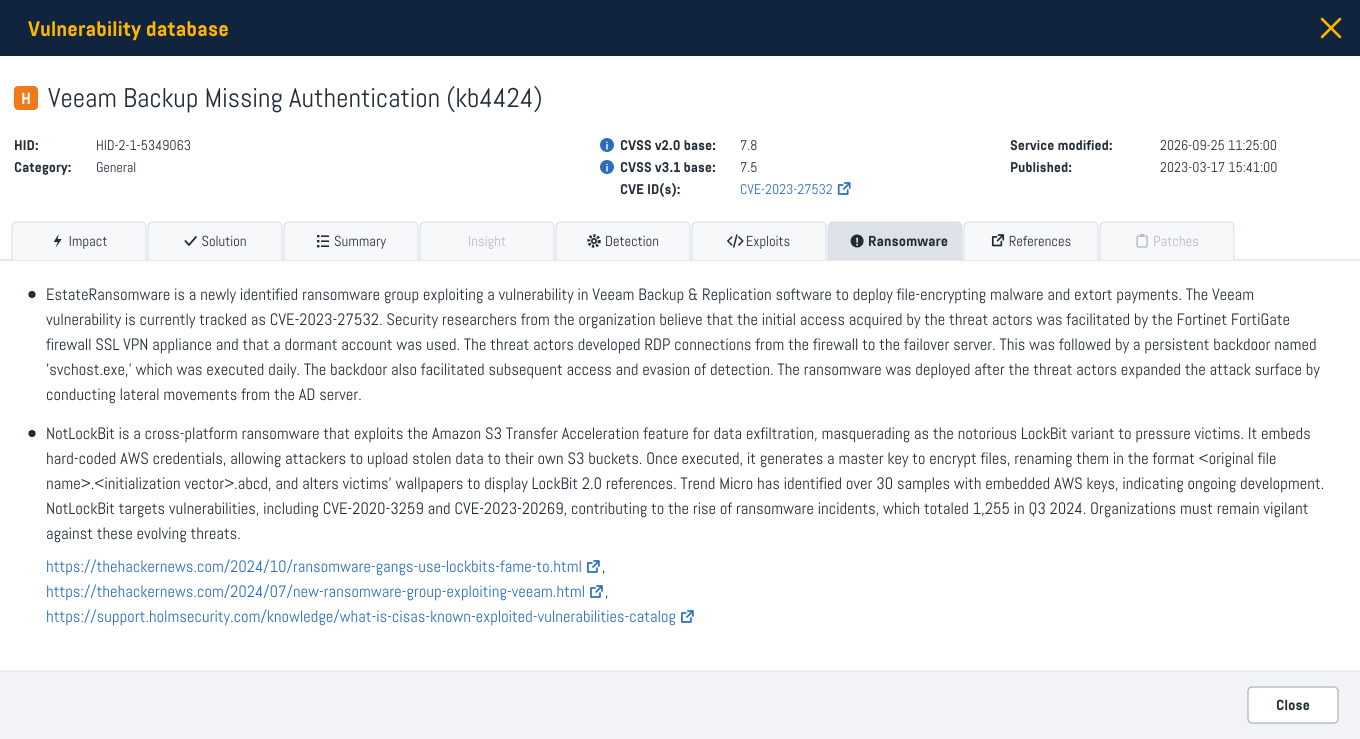
Backup servers need access to the systems they protect, so the credentials they store often carry high privileges. Stolen backup credentials do far more damage when an organization has too many admin accounts and passwords that never expire.
The weakness: too many admin accounts and passwords that never expire.
Warlock: Ransomware delivered by Group Policy
The SharePoint attack from the introduction followed the same pattern. Microsoft reports that Storm-2603 used Mimikatz to pull credentials from server memory. With those credentials, the group modified Group Policy Objects to distribute Warlock ransomware.
Anyone who can edit a Group Policy Object can run code on every computer it applies to. That makes Group Policy rights as sensitive as domain admin rights, even though they’re rarely reviewed as closely.
The weakness: too many people and accounts with rights to change Group Policy.
In all three examples, what let the attack spread was a setting that could have been found and fixed in advance.
Ransomware prevention: Five things to check beyond patching
Attackers use two kinds of weaknesses. Vulnerabilities are software errors that a patch can fix. Misconfigurations are settings that give too much access, such as weak service accounts, too many admin accounts or admin accounts synced to the cloud. Misconfigurations don’t show up in a patch report, and they often survive for years because nothing seems broken.
Attackers don’t care which category a weakness belongs to. They chain them together. Defenders need to see both in one place and fix them in order of risk - which is the whole idea behind exposure management.
These five questions cover both:
- Are your internet-facing systems assessed for vulnerabilities known to be used in ransomware attacks?
- Which service accounts in Active Directory are open to Kerberoasting?
- How many admin accounts do you have, and do any of their passwords never expire?
- Who can change Group Policy?
- Are your Microsoft 365 admin accounts cloud-only, protected with MFA and monitored with alerts?
Holm Security helps you break the chain
Holm Security covers each step of the chain in one platform.
Known exploits & ransomware
Holm Security marks every vulnerability test when the vulnerability it detects has a known exploit or has been used in a ransomware attack. For known exploits, we monitor sources such as CISA’s and VulnCheck’s KEV catalogs, Exploit-DB and Metasploit. For ransomware, our Security Research team combines CISA’s KEV catalog with other threat research, such as public reports on specific ransomware groups. We update both markings as new exploits are published and new ransomware campaigns are reported.
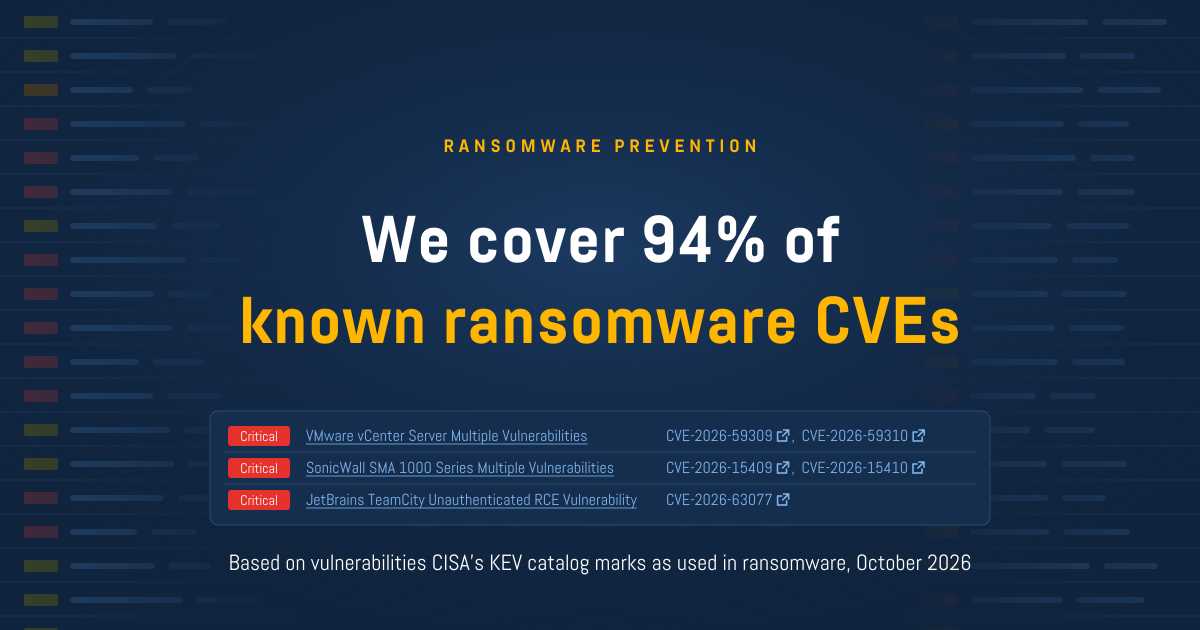
As of October 2026, Holm Security covers 94% of the vulnerabilities that CISA’s KEV catalog marks as known to be used in ransomware campaigns. That coverage comes from more than 1,700 tests. You can run an assessment that focuses on exactly these vulnerabilities.
Active Directory Security
Strong Active Directory security is what stops one stolen password from becoming a domain-wide outage. Active Directory Security assesses Active Directory for the misconfigurations attackers use to escalate privileges and move laterally. That includes service accounts open to Kerberoasting, too many admin accounts, passwords that never expire and broad rights to change Group Policy. It’s included for existing customers.
Microsoft 365 Security
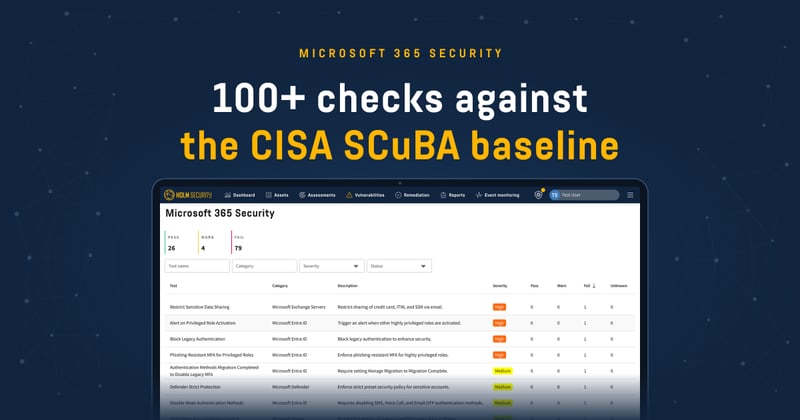
Microsoft 365 coverage in Cloud Security assesses your tenant against CISA’s Microsoft 365 security baseline, an independent standard, so you aren’t relying on Microsoft to grade its own product. It flags admin accounts synced from on-premises, missing MFA, missing admin alerts and weak phishing protection.
Phishing Simulation & Awareness Training
Phishing Simulation & Awareness Training helps employees recognize phishing before they click. Email is the most common way in.
All findings land in Security Center, which prioritizes vulnerabilities and misconfigurations together.
Vulnerabilities widely exploited in recent ransomware campaigns
| Vulnerability | Product | Ransomware group |
| CVE-2023-4966 (Citrix Bleed) | Citrix NetScaler | LockBit |
| CVE-2023-34362 | MOVEit Transfer | Cl0p |
| CVE-2025-61882 | Oracle E-Business Suite | Cl0p |
| CVE-2025-10035 | GoAnywhere MFT | Medusa |
| CVE-2025-53770 (ToolShell) | Microsoft SharePoint | Warlock |
| CVE-2024-40766 | SonicWall SSL VPN | Akira |
| CVE-2023-20269 | Cisco ASA/FTD VPN | Akira |
| CVE-2024-37085 | VMware ESXi | Akira, Black Basta |
| CVE-2024-40711, CVE-2023-27532 | Veeam Backup & Replication | Akira |
Holm Security tests for all of the vulnerabilities in this table.
Holm Security assesses your systems for known ransomware vulnerabilities and your Active Directory and Microsoft 365 for the misconfigurations attackers use to spread, all in one platform.
Ready to see how it works in your environment? Book a demo to get started.
FAQ
-
What is the main cause of ransomware attacks?
Malicious email and phishing were behind half of all ransomware incidents, according to the Sophos State of Ransomware 2026 report. Compromised credentials (23%) and exploited vulnerabilities (18%) followed.
-
Can vulnerability management prevent ransomware?
Vulnerability management closes many of the ways in, especially known exploited vulnerabilities in internet-facing systems. Exposure management covers more of the attack by adding identity misconfigurations in Active Directory and Microsoft 365. No single tool prevents every attack.
-
Why do ransomware groups target Active Directory?
Active Directory controls who has access to what in most Windows networks. Attackers with admin rights in Active Directory can create accounts, steal more passwords and push ransomware to every machine through Group Policy.
-
What are the stages of a ransomware attack?
Most ransomware attacks follow three stages:
Get in: attackers use phishing, stolen passwords or a known vulnerability.
Take over identities: attackers gain admin rights, usually in Active Directory.
Spread and block recovery: attackers spread the ransomware and go after backups.
Some frameworks split these into five or more stages, but the pattern is the same. -
What is Kerberoasting?
Kerberoasting is an attack on service accounts in Active Directory. Attackers request Kerberos service tickets, which are encrypted with the service account’s password, then crack those tickets offline. Service accounts with weak passwords are most at risk. CISA reports that the Akira ransomware group uses Kerberoasting to steal credentials.
-
Does MFA stop ransomware?
MFA makes stolen passwords much harder to use. CISA reports that the Akira group often gets in through VPNs without MFA. MFA doesn’t stop attacks that exploit a vulnerability directly, so it works best alongside patching and configuration assessment.