

 Belgium
 Denmark
 Finland
 Germany
 Netherlands
 Norway
 Poland
 Sweden
 UK


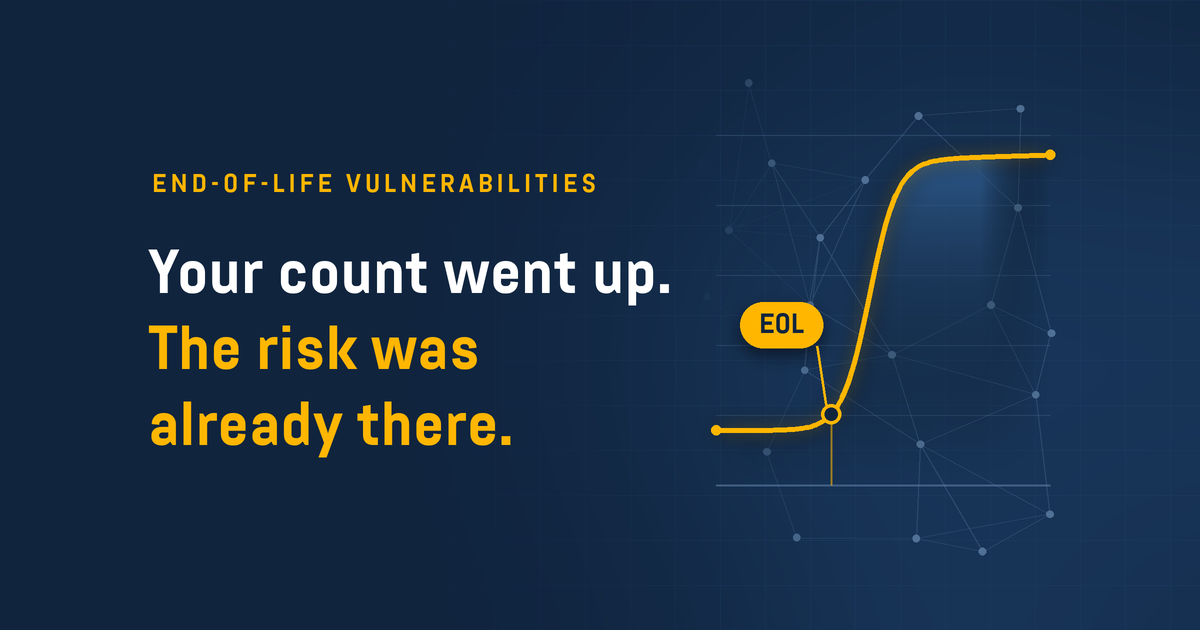
You set a scan to run, come back and see your vulnerability count has increased more than expected. Why? It may be because systems running software or applications their vendors have stopped supporting now show up as findings - and that's good. That's a more accurate picture of your exposure, not a worse one, and it means you can see it and weigh it alongside every other finding that shapes your overall exposure.
While the explanation is simple, it still has to hold up when questioned. This post covers why EOL findings count as vulnerabilities even when no CVE exists, why they belong in the same process as every CVE, and how to defend the increase and prioritize the work.
Why end-of-life software & applications are vulnerabilities in their own right
You know what end-of-life software is. The point to land with stakeholders is that an EOL finding doesn't need a CVE to be a vulnerability, because the vendor's decision to stop patching is the problem.
You can give the following example: A vendor ships a security update for its current version that fixes a remote code execution vulnerability, and the advisory goes public. Attackers read it and check whether older versions share the same code. The retired version often does, but the vendor won't test or patch it, so no advisory lists it and the vulnerability stays open in your environment. The only fix is to upgrade and that's what makes it a vulnerability in its own right.
Three things change when a product reaches EOL:
- Patches stop, so standard security updates are no longer released for that version
- Advisories thin out, so new issues may never be documented or assigned a CVE
- Exposure compounds, because every new vulnerability found in that version stays open
It applies to applications as much as operating systems. A Python runtime or a database server that reaches EOL leaves the same gap: no standard patches, and every new vulnerability found in that version stays open. Meanwhile, paid extended support, such as Microsoft's Extended Security Updates, can keep security patches coming for a time, but it's a stopgap you pay for and the system is still end of life.
The numbers show how much this matters. VulnCheck found that 42.5% of the network edge vulnerabilities exploited in 2025 affected EOL or likely EOL devices, and only 23.7% of the exploited edge vulnerabilities it tracked appear in the CISA KEV catalog. That's why EOL risk is easy to miss if you rely on CVE-based tracking alone.
How to defend the increase & prioritize the work
Expect questions when the count moves. These four points hold up:
- An end-of-life vulnerability is real even without a CVE, because the vendor no longer issues security fixes for that version, apart from paid extended support.
- EOL findings are built into the assessment, not bolted on. When using Holm Security's platform, any network scan reports EOL operating systems and applications, typically as Critical findings, and Device Agent does the same on the endpoints it's installed on, alongside every other finding.
- The typical Critical rating is defensible, because the only real fixes are upgrading, replacing, or isolating the system.
- The first jump happens once. After that, the count moves as products reach EOL and as you upgrade.
If the numbers haven't moved yet, tell stakeholders before they do. If they already have, show EOL findings as separate counts so stakeholders can see where the rise came from.
Then work through the findings in the following order:
- Start with internet-facing and business-critical systems, where unsupported software does the most damage.
- Identify which findings share a product, so a single upgrade resolves as many of them as possible.
- Set a retirement date for anything you can't upgrade right away, and limit its exposure until then.
The goal isn't to clear every EOL finding overnight. It's to know what's unsupported, decide what to do about it, and track it like any other vulnerability.
Finding EOL vulnerabilities with Holm Security
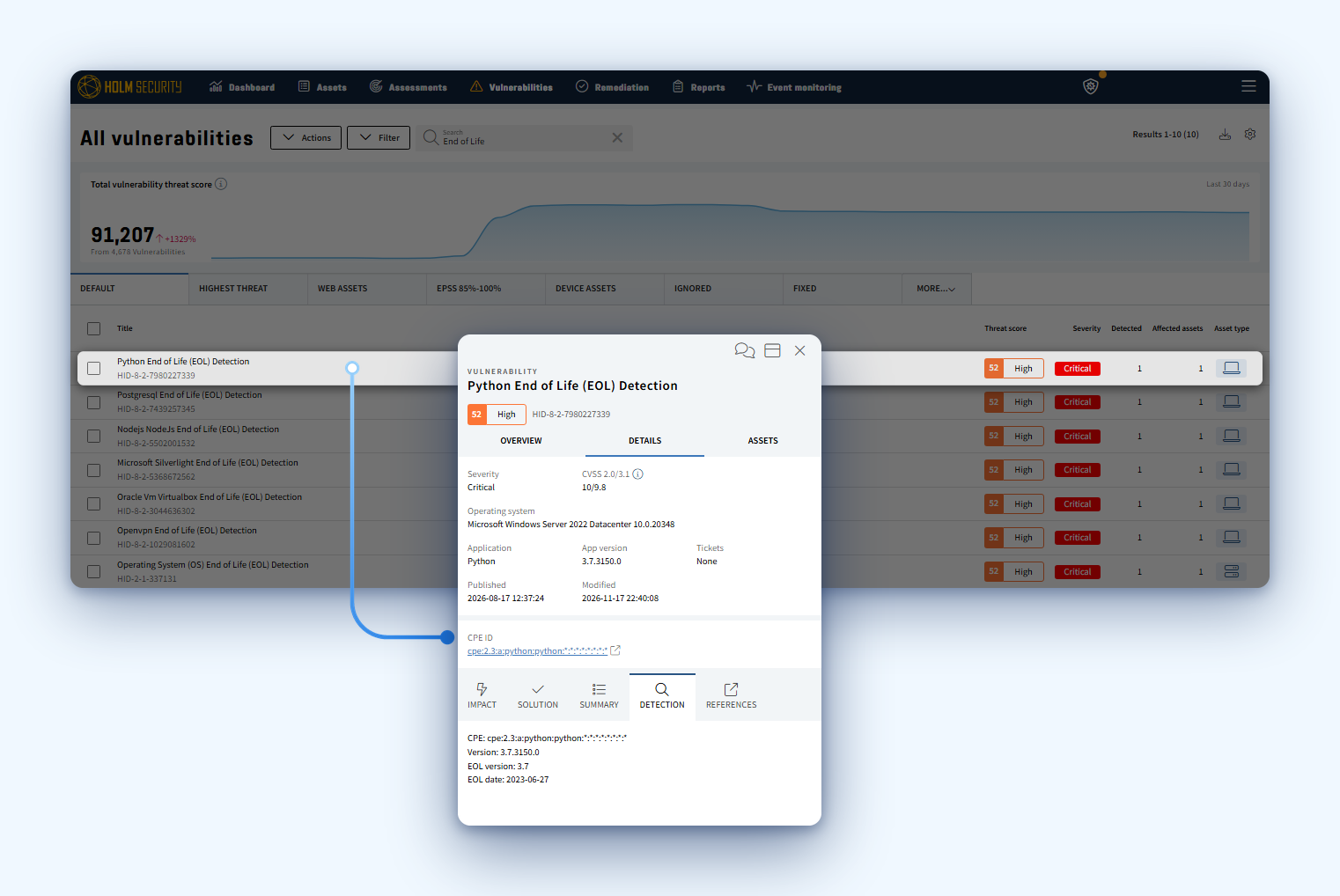
In our platform, you can filter for all open EOL vulnerabilities in our "All vulnerabilities" view, with the following:
- Each finding is named after the affected product or operating system, for example "Python End of Life (EOL) Detection"
- The list shows severity, threat score, how many times the finding was detected, and how many assets it affects
- The side panel shows the asset and its IP address, the installed version, the EOL version and date, and more
Because EOL findings sit in the same view as your CVE-based findings, you can prioritize them in the same workflow. And when someone asks why the count went up, each increase traces back to a specific finding on a specific asset.
Next step: Make end-of-life software & applications part of your reporting
Decide how EOL findings will appear in your next report: counted with everything else, typically rated Critical, and tracked until each system is upgraded or retired. When the number is explained before anyone asks, a rise in the count reads as a more complete and proactive assessment, not a weaker one.
See how EOL findings show up next to every CVE in your own environment. Watch our demo video to get a quick walkthrough of the platform.
FAQ